Copy Paste Delete
Copy
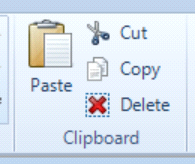
The Copy icon is located on the middle left of the Layout Menu Ribbon.

When selected, this command copies all currently selected entities to the clipboard without removing them from the layout.
Using the Paste command after copying will create a duplicate set of the selected entities. The paste command may be used repeatedly to create multiple duplicate sets.
Cut

The Cut icon is also located on the middle left of the Layout Menu Ribbon.
When selected, this command removes all currently selected entities from the layout and copies them to the clipboard.
Paste

The Paste icon is located on the middle left of the Layout Menu Ribbon.
When selected, this command inserts into the currently open layout any entities that have been copied or cut to the clipboard. Each use of the paste command creates an additional set of the clipboard contents.
Delete
The Delete command is available in two locations:
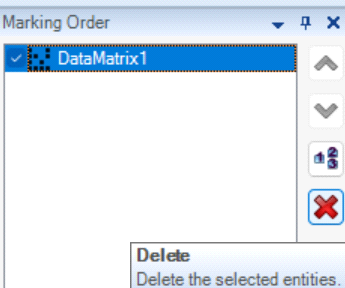
- In the Marking Order Window
- On the middle left side of the Layout Menu Ribbon
Both icons perform the same function.
When selected, this command permanently deletes all currently selected entities from the open layout. Deleted entities are those outlined in blue in the Main Work Area or highlighted in the Marking Order Window.
In addition, pressing the Delete key on the keyboard performs the same action.
The Marking Order Window serves as a legend displaying the position and style of all entities to be marked.
Created with the Personal Edition of HelpNDoc: Streamline Your CHM Help File Creation with HelpNDoc