Replace Marking Stylus
You may encounter a situation where the mark will start to look less clear than before. Or perhaps that the marking has become sloppy. 90% of the time, this is caused by a broken, chipped or worn marking stylus. Here is how to replace the pin.
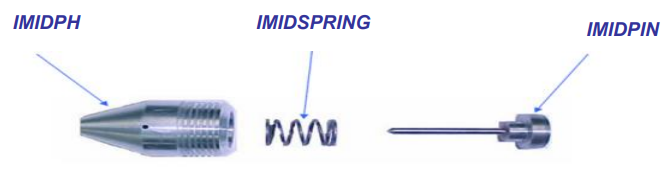
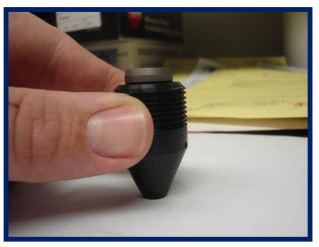
Start by unscrewing the pin housing from the M-Series and removing it from the machine. Then while holding the pin housing assembly firmly in your hand, press the pin downward against a hard surface to eject the pin out of the backside from the housing.
Take the pin out of the housing and either sharpen or replace with a new one. CMT part # (IMIDPIN).
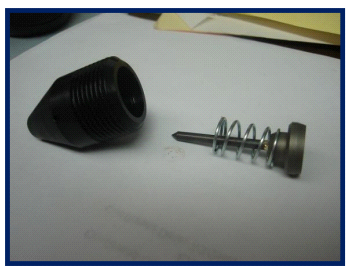
To replace the pin, assemble the spring and pin back together according to this picture above and hold the assembly in your hand again. Now with you thumb press the piston side of the pin firmly into the housing to seat the pin the assembly.
If you a have a hand Andy or extended pin set up contact CMT for possibility of reshaping.
Created with the Personal Edition of HelpNDoc: Maximize Your Documentation Output with HelpNDoc's Advanced Project Analyzer